I clicked the “Connect” option at the top of the AppControl window and it opened a dialogue box “Add device to AppControl Connect”. It gave me a code to enter at portal.appcontol.com.link. I clicked the blue button “Open Appcontrol Portal”. When that webpage opened, I selected the option to use my email address and entered my address (same one I used when signing up for the beta) and clicked “Email me a sign-in link”.
The email never arrived. I checked my spam folder. I waited the 15 minutes the dialogue box indicated the link would be good for.
One thing that is maybe noteworthy. When I start the process, I am given a code. But I never have to actually use the code. I believe it gets embedded in the URL to the portal.
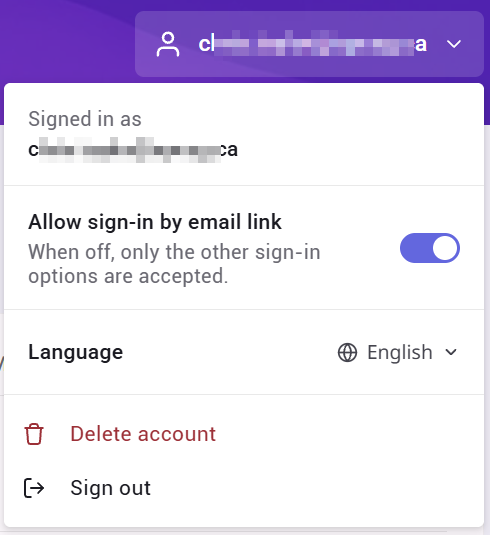
For the slider “Allow sign-in by email link”, what does it mean “only the other sign-in options are accepted”? Does this mean when I chose email vs Google (or the other options) when linking machines? I used email. If I toggle this off, am I screwed in being able to link machines?
this option exists (and is off by default for social logins) to prevent the ability to log in using the plain email address/magic link route in case if you’re using one of the other ways to log in (Google/Microsoft/Github) as those might be more secure however I agree it probably should not be available if you’re using the email as the only way to log in since by turning it off you’ll effectively cut yourself off the portal