Hi all, I am very impressed with this App so far! Much better than the stock Windoze Task Manager (but no surprise there as the stock app has hardly changed in living memory!), I managed to get AppControl installed and running amazingly well on my other systems (one running Win10 Pro x64 and the other running Win10 Ent LTSC IoT 2021) but am unable to get it running (or even properly installed) on this system running Win10 Ent LTSC 2019 (1809 17763.805). I am trying to install AppControl 1.0.0.145b. When I run the installer, it gets to about 80% through copying the files, when it halts with the error = ‘AppControl failed to install correctly. Please contact support…. @helpdesk@appcontrol.com…’. When I click on ‘OK’ the app actually tries to run. I see the main AppControl Window on the desktop except that in the middle of the window it shows the following error = ‘Disconnected. Connecting to the local server’. I can click on ‘Restart AppControl’s Service’, which results in: ‘Appcservice.exe - System Error. The code execution cannot proceed because dxcore.dll was not found. Reinstalling the program may fix this problem’. Obviously reinstalling AppControl results in the same error. If I then quit AppControl, it looks like that it has not even installed as there are no start-menu launchers for AppControl & no icon on the desktop either, but I can see the following folders have been created = ‘C:\Program Files\AppControl’, so it looks like maybe a partial install? I can run DXDiag on the system & it informs me that DirectX12 is installed. So not really sure what else to try at this point. Many Thanks.
Thanks for your kind words and thanks for installing AppControl on your other systems!
I have now shared this report with our team so we can try to reproduce/fix it for our next update.
Okay, Thanks for the swift response! I have the feeling that the issue will be linked to the fact that Windows 10 LTSC 2019 may be too old to run AppControl as I typed my problem into Warp Terminal and it said that I should upgrade the Win10 LTSC 2019 to Win10 LTSC 2021 as it has less software compatibility issues (something about LTSC 2019 having a inferior DirectX implementation than LTSC 2021), which might be the case?
Thank you.
Yes, that version of Windows 10 is EOL I think, so if you run Windows Update it should let you use AppControl and still stick with Windows 10 (a newer version of Windows 10).
Hi, I just checked and Win 10 LTSC 2019 reaches EOL support on 9th Jan 2029 but I think I also read somewhere else that it’s EOL is in 2027? Anyway, it’s still supported ATM but I will be attempting an in-place upgrade to Win 10 Ent LTSC IoT 2021 to get support until 2032!
Good to know it isn’t EOL! Yes, I think that upgrade will solve it, but meanwhile we’re looking on other solutions for people with that version.
Hello, got that error on a VMware virtual Windows Server 2019. Install finish but service refuse to start and app doesn’t work. Shame.
We are seeing if we can add dxcore.dll and solve the issue, and considering how large the installer will be for AppControl and if it will fully solve the issue or not. Thanks for your feedback.
I’m running into the same DXCore.DLL issue on Server2019.
During some research:
It seems that DXCore doesn’t get loaded into systems (such as virtuals) that don’t have a real GPU.
We’ll see if we can add it if it will not increase AppControl’s size or cause some other unexpected issue. It may not be in the next update coming next week.
@KitchBB and @Jc_Lebeau and @slickmrick can you email us and put “server2019” as the email subject? I can send you an unreleased version that should solve this if you want to confirm the fix works?
Our “help” email address is here: Contact Us - AppControl (bottom left email).
This version also has optional localization in case English is not your first language.
One person installed and confirmed the issue is solved. Thanks for testing! The fix will be in the final update that should be out in a day or so.
If you did not email us yet feel free to.
Our update is out that solves this.
Hi AppControl Team!, just wanted to give much thanks & gratitude for resolving the DXcore.dll missing error when running AppControl on certain Windows 10 Builds. I can confirm that the latest updated version of AppControl (as of March 2026) is now running just as well as it does on my other Windows 11 builds. I know you are still updating/tweaking AppControl to support even more features, but I was wondering if you had any estimated time-frame to add the GPU & Temps support? When I click on the App Details of AppControl (in AppControl!) it gives a nice summary of what AppControl is and it mentions GPU & Temp in the description of AppControl, so I know it should be coming real soon now! And obviously you already know about the numerous requests to add the Networking Device info to AppControl, but if/when you add this feature, can I ask that you also add the running TOTAL of data downloaded/uploaded for the current session, like gnome-system-monitor & Mission Center (flatpak) does on Linux? As I’ve always missed that feature in the Windows Task Manager when compared to Linux. In fact, I find Mission Center (Linux) to be very similar to AppControl in many ways (in terms of the GUI styling) but it lacks the AppControl’s amazing live monitoring/popup-notifications of Newly detected Apps/services & access to hardware such as the webcam. I kinda dream that one day AppControl will eventually combine these other Mission Control features that AppControl currently lacks to become a truly amazing all-in-one System Resource/Management tool that surpasses anything currently available on Linux!
@slickmrick thank you for taking the time to share this.
I have not used Mission Control on Linux, our team will check it out! I’ll also see what’s going on with the GPU/Temp for your PC. Can you give more details about what hardware you have? It will help me understand what’s going on there for you, because with most cases we should show temperature.
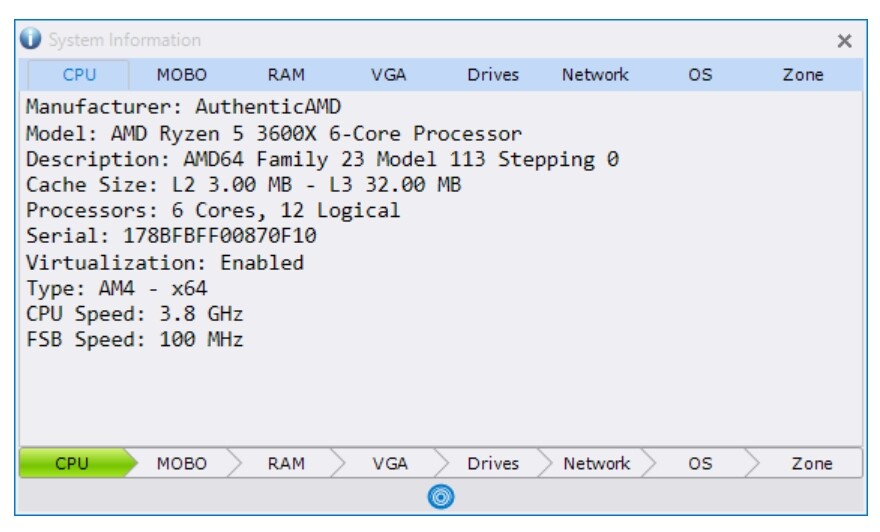
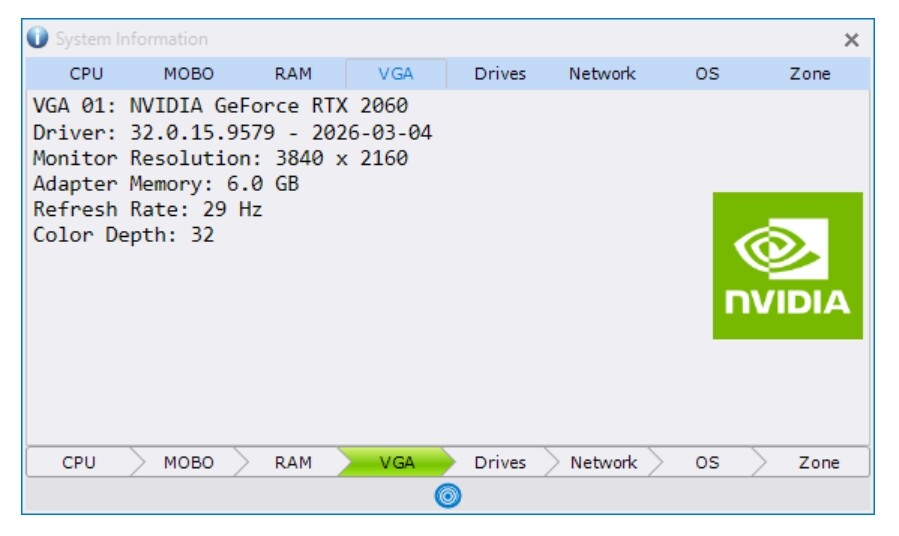
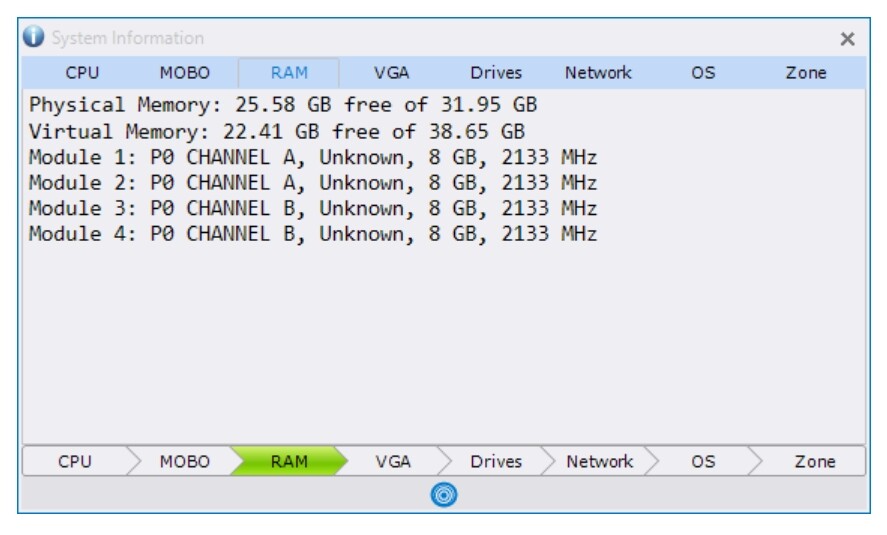
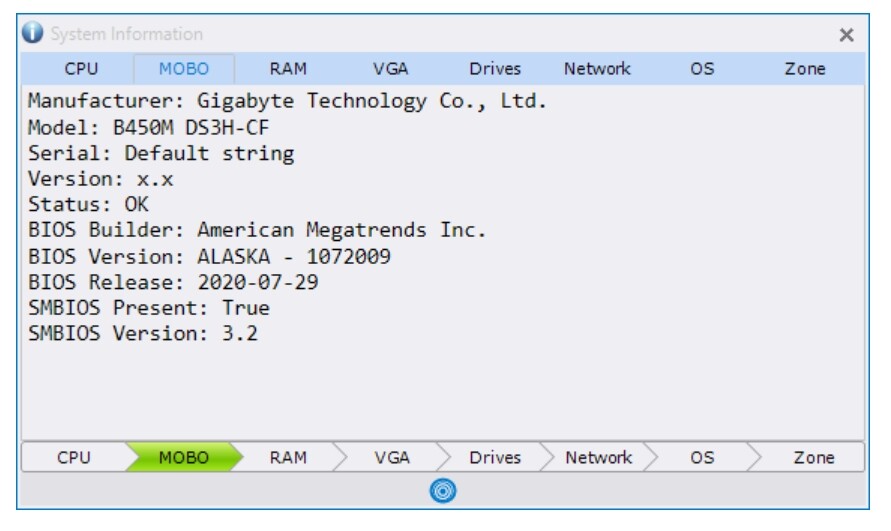
@slickmrick thanks for posting this. I will share with our team so we can see how to improve.
I have discussed this issue with our team. The only solution is for people with this issue to update Windows to a newer version. Unless I am misunderstanding something, your version is from 2019. Until that is done AppControl will work, but it cannot show temperature because you lack dxcore.dll.
What we changed with AppControl is to stop requiring dxcore.dll, but without that GPU functionality turns off.
Okay! That’s fair enough I guess. I didn’t realise that the dxcore.dll was a requirement to getting the GPU & Temps support in AppControl! To be honest, I’m just grateful that it’s working at all on my rather old & crusty (circa 2019) version of Windows!
@slickmrick we noticed that we have had a few people that want to keep that old Windows version. What is the reason people prefer not to upgrade, do you know? It looks like your hardware can do an upgrade, or am I mistaken?