Hello everyone!
I’m hoping you are enjoying this neat Task Manager replacement, I know I do!
While the developers are working hard to implement keyboard shortcuts, i have found a neat way to launch AppControl with any keyboard shortcut by simply using a free tool called “hotkeyp”
The project is here: GitHub - plastovicka/HotkeyP
But the download can be found at HotkeyP download | SourceForge.net
Simply download that program, install it, open it.
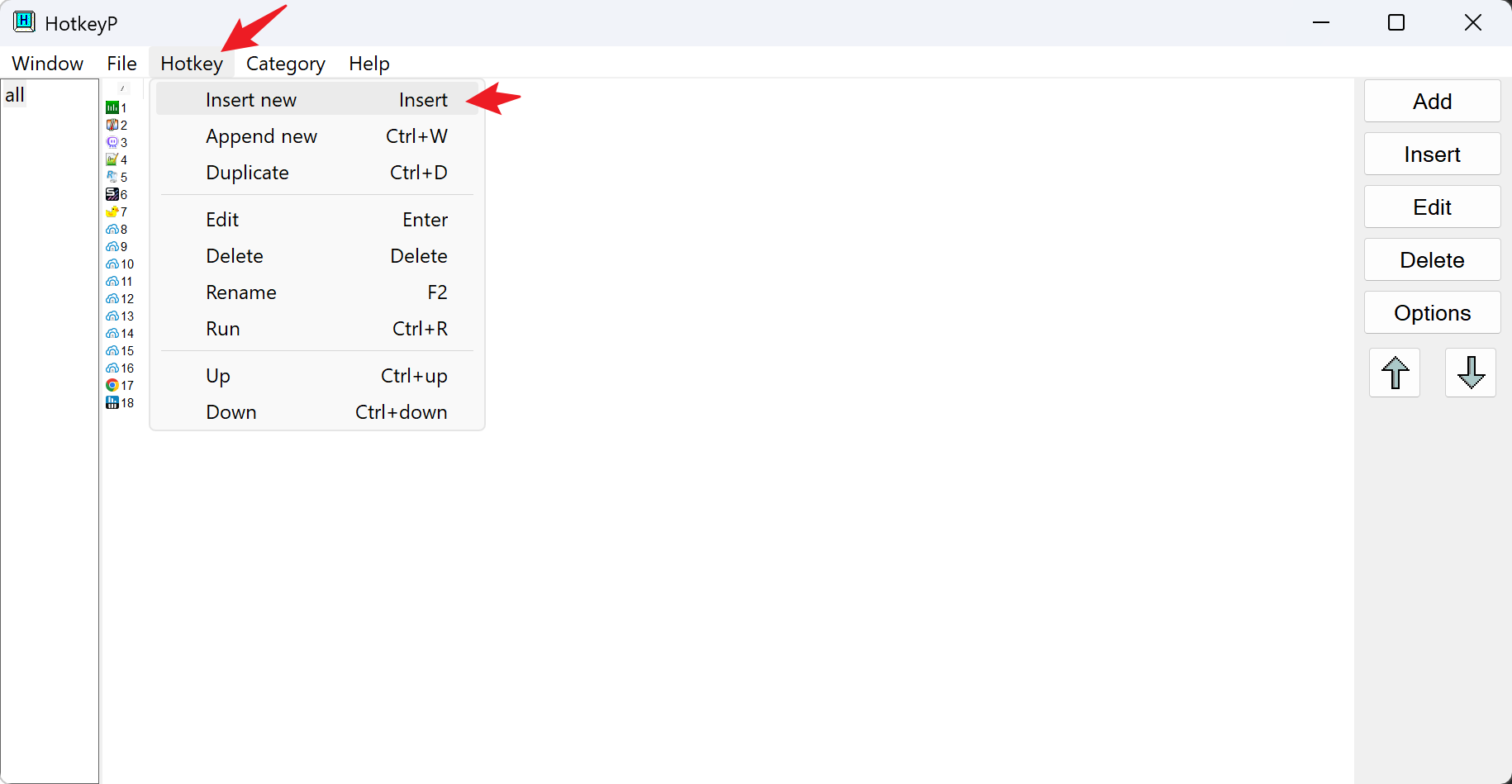
Now go into Hotkey → Insert New
Now we need to instruct the program where the app is installed, this is easy, since AppControl has the main interface stored in the UI folder, we can call it directly from the executable, which is stored in: c:\Program Files\AppControl\ui\AppControl.exe
Even if the App is already active, executing that exe will bring it forth, does making our shortcut work.
Now let’s complete the information like this:
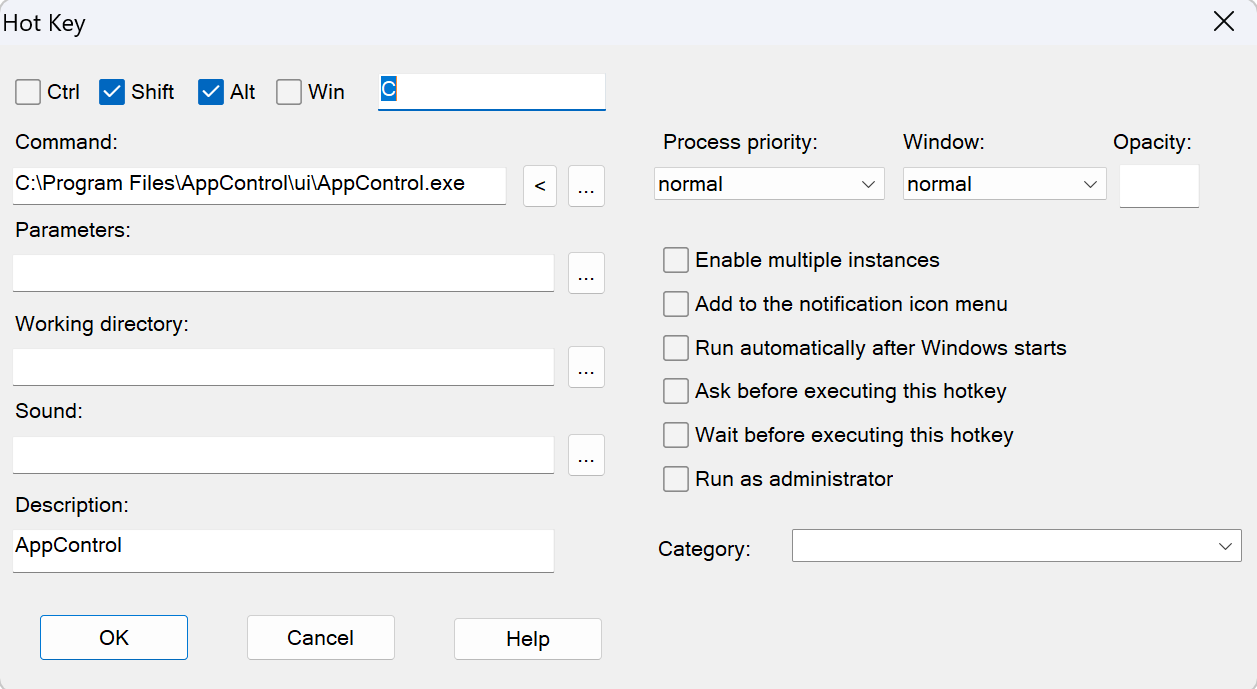
It is not necessary for you to use my hotkey combination, use anything you like. In this particular case, the program will open when I press: Shift+Alt+C
Any combination is available provided is not already mapped by windows.
That’s it!
Now you can invoke AppControl by just pressing your key combination.
Enjoy!
