Hi AppControl devs,
First of all, i want to say the app is great. Especially the notifications about services and things happening in the background.
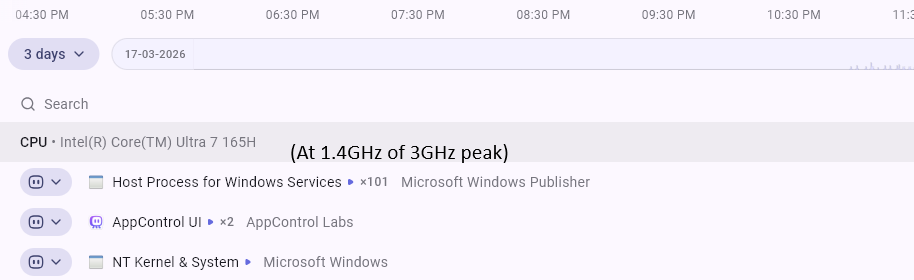
I would like to propose a feature request : Ability to identify CPU throttling due to heat. This could be done by maybe showing 2 statistics like:
(1) CPU 1.49GHz of 3GHz
With this I can see that CPU stuck at 1.49GHz and showing 100% CPU whereas it can go even beyond 3GHz. Only percentage shown now, and it seems within the 1.49GHz we are showing % used as 100%.
(2) Showing the CPU temp, and showing an alert for high CPU temp.
Reason for raising this: Apparently I had throttling issue, and I didn’t realize it, whole system felt horribly slow. I had selected “quiet fan mode” in Dell Precision 3490 BIOS. With Core i7 165H and 32GB RAM, my laptop was dead slow. But, in AppControl, i could only see CPU 100% and no alerts or warnings. It will be nice to see if CPU GHz not optimal or temp is high.
Please do consider, based on the feasibility.
Best regards,
Theodore