There is nothing on my second GPU.
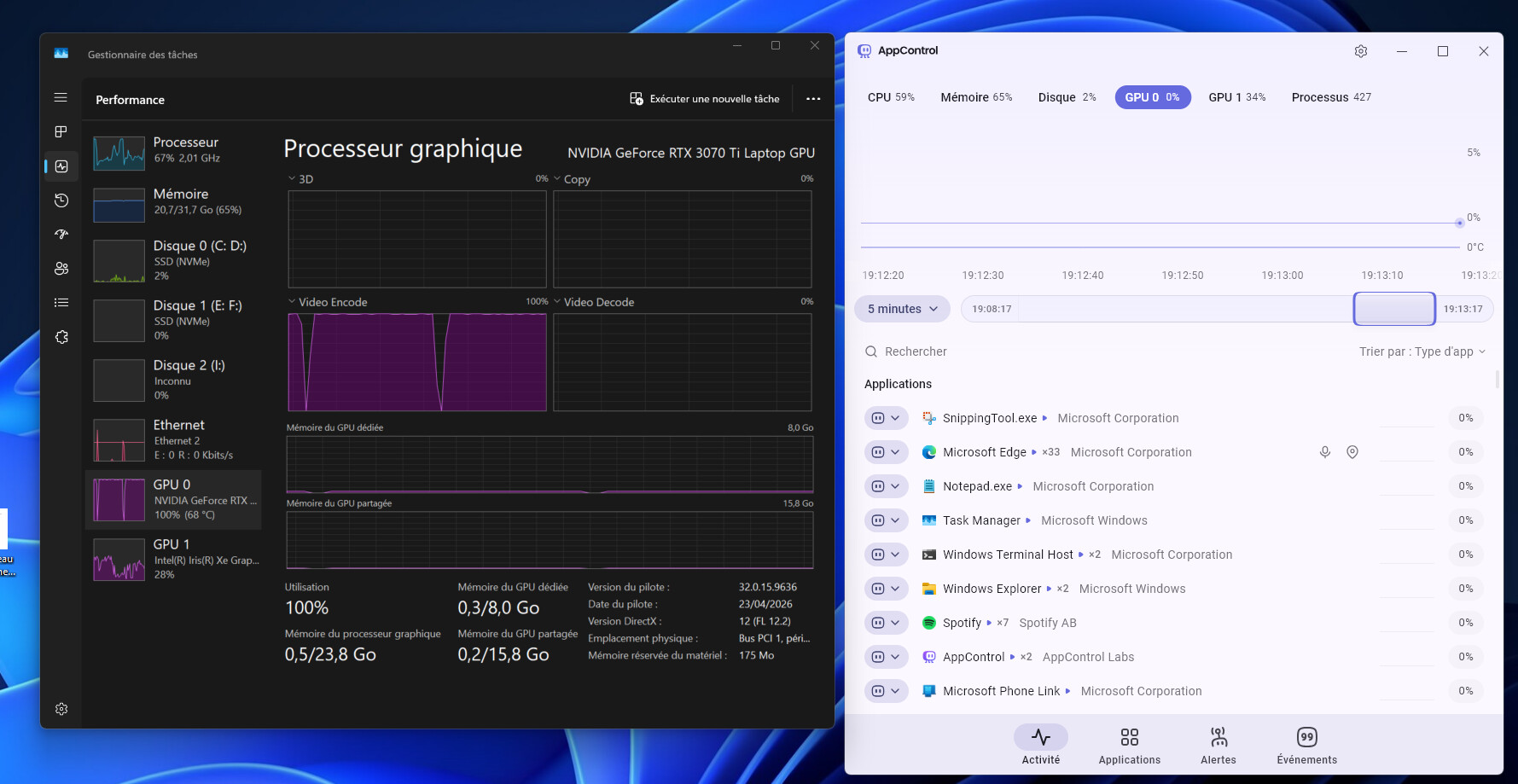
@Max sorry for the issue. May I ask what OS version you have? It is not a virtual machine, correct?
If the one with no info is Nvidia this may be a known bug that our next update fixes. Nvidia put out a software update and it caused our monitoring to stop working, but after rebooting it should solve it if you want to try rebooting?
Our next update won’t require a reboot when the Nvidia software updates but instead it will continue to work with no issues.
I am on windows 11 25H2. No it is not a virtual machine.
Exactly, the one with no info is Nvidia Geforce RTX 3070 Ti Laptop GPU. I will try to reboot and tell you then.
1 Like
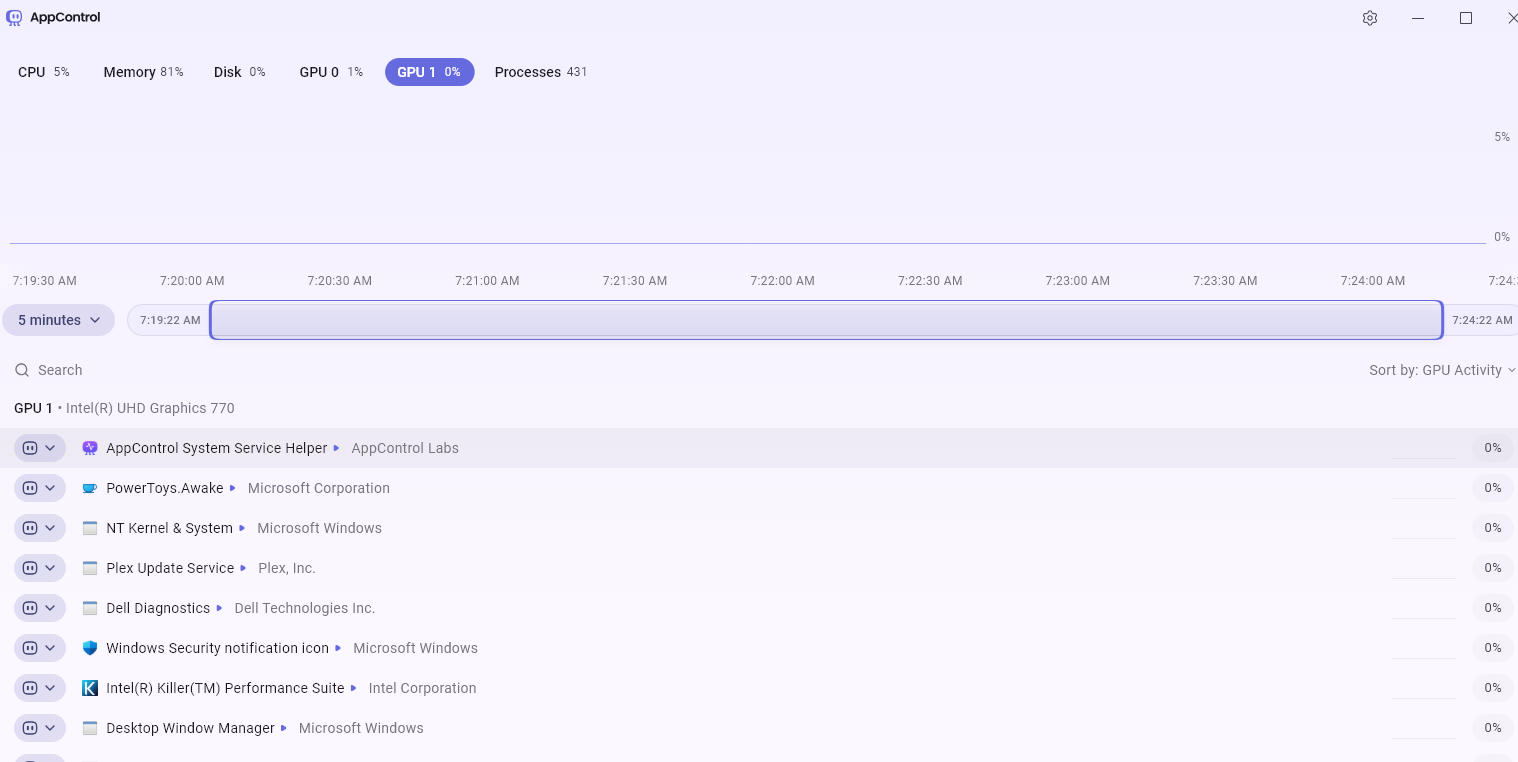
I have a similar observation. My default GPU is Nvidia RTX 4060 Ti. The second one is the mother board built in Intel UHD which is disabled with no drivers. However AppControl shows many processes on the GPU 1.
There are a few processes shown actually running on GPU 0 (Nvidia) but many more (all?) processes running on the CPU are also shown - is that expected? IMHO I would like to only see the apps that actually are running on the GPU. I presume these are the ones with a little bar graph on the right of each entry.
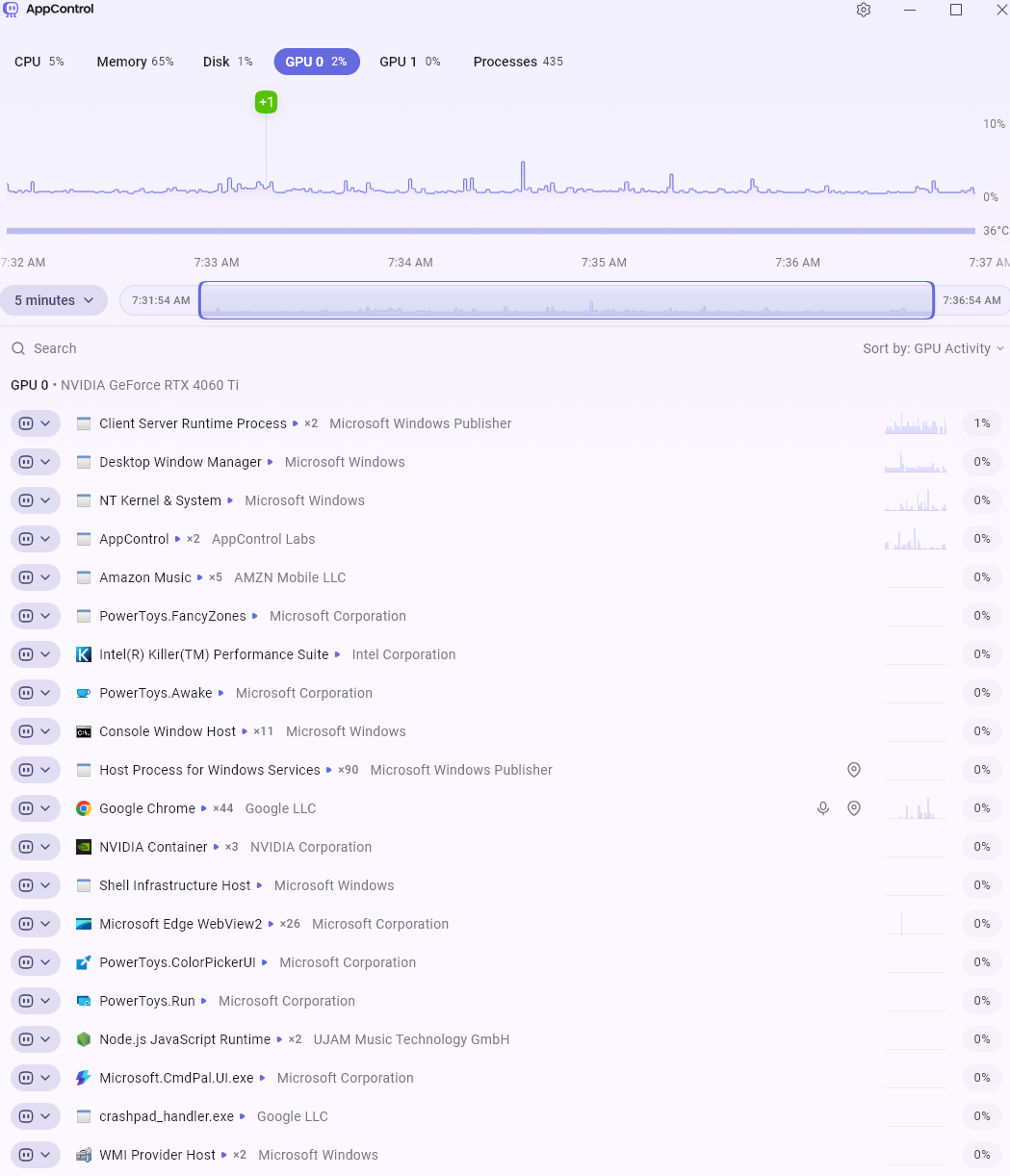
I am running fully uptodate Windows 11.
1 Like
With reboot, it is OK.
1 Like
@Max thanks for trying that! Yes, this is a known bug we learned about due to helpful reports from people like you. The coming update solves this, sorry for the issue.
@Hooby yes, it is expected. I will discuss with the team about having an option to not show apps that are at 0% at all and see if it’s possible to do so without causing unexpected logic issues or confusion with the app.
Task Manager lists other apps running at 0% so we modeled our UI after that.
If I misunderstood something please let me know.
Ok great!
My thought is: why show any apps/processes that have never run on the GPU at all? What would be the usefulness of doing so? I think it is somewhat misleading to show them on the GPU tab as they have never run there.
By all means show the ones currently running on the GPU and differentiate them somehow from apps that had run on that GPU but are now dormant in the current session i.e. since last re-boot or perhaps in the last x hours or whatever.
1 Like
Yes, that is a good point. I will share with our team and see if there is a way to make that clear by not showing apps that didn’t access the GPU, where they drop from the list under that GPU view.